

Introduction
Digital evidence fails in court more often due to process gaps than technical flaws. A screenshot without context, a video copied without logs, or a file shared by email can all break chain of custody—even if the content is genuine. Judges look for a continuous, explainable history showing that evidence wasn’t altered or mishandled.
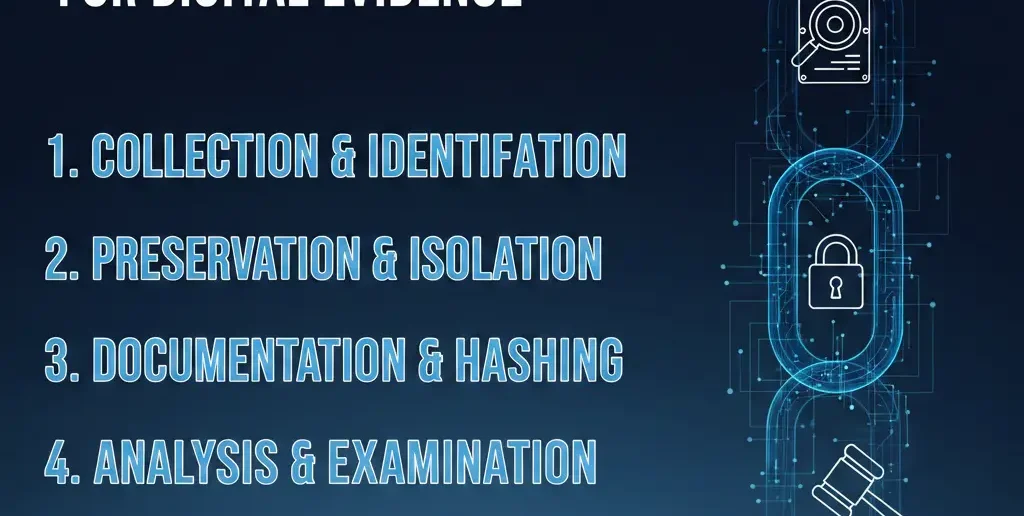
This guide explains how to maintain chain of custody for digital evidence in real situations: emails, files, messages, videos, logs, and blockchain records. You’ll get a step-by-step workflow, a practical checklist, common mistakes to avoid, and an information-gain insight most articles miss—why clarity beats complexity when evidence is challenged.
What “maintaining chain of custody” really means
Courts care about continuity and control
Maintaining custody means you can answer, without hesitation:
- Who collected the evidence?
- How was it collected?
- Where was it stored?
- Who accessed it—and why?
- How do you know it wasn’t changed?
[Expert Warning] Perfect hashes won’t save evidence if no one can explain who touched the file and when.
Step-by-step: how to maintain chain of custody for digital evidence
Step 1 — Secure the original source immediately
- Preserve the original device or file
- Avoid opening, editing, or renaming
- Disable auto-sync where possible
Practical tip: Work on a copy; protect the original.
Step 2 — Document acquisition details
Record:
- Date and time of capture
- Device or system used
- Person collecting the evidence
- Method (export, imaging, download)
Step 3 — Create verified copies
- Generate forensic copies when possible
- Calculate and record file hashes (e.g., SHA-256)
- Label each copy uniquely
Step 4 — Maintain access and transfer logs
Every handoff must show:
- Who transferred the evidence
- Who received it
- Date/time
- Purpose of access
Step 5 — Store evidence securely
Use:
- Read-only storage
- Encrypted drives or vaults
- Role-based access controls
Step 6 — Verify integrity at every stage
- Re-hash files after transfer
- Compare hashes to originals
- Log verification results
Table: Digital chain of custody checklist
| Stage | Required action | Documentation |
| Capture | Secure original | Acquisition form |
| Copy | Create verified duplicate | Hash record |
| Storage | Lock down access | Storage log |
| Access | Track every view/use | Access log |
| Transfer | Verify before/after | Transfer receipt |
| Presentation | Explain process clearly | Custody summary |
Different evidence types need different handling
Emails and documents
- Export with headers/metadata
- Preserve original formats
- Avoid screenshots when full exports are available
Photos and videos
- Retain original files (not compressed shares)
- Capture device metadata
- Document camera/source ownership
Messages and chats
- Use platform export tools
- Preserve timestamps and IDs
- Explain how conversations were selected
System logs and databases
- Snapshot at a defined time
- Document query methods
- Preserve schema context
Information Gain (SERP gap): simpler custody wins more often
Most guides push advanced tools. Courts often prefer simple, repeatable processes.
Counter-intuitive insight:
A basic custody log + clear testimony often beats a complex system no one can explain. Judges trust clarity more than sophistication.
Unique section: Practical insight from experience
What practitioners overlook
Teams frequently focus on capturing evidence and forget post-capture behavior:
- emailing files internally,
- renaming for convenience,
- uploading to shared drives without logs.
Those small actions create big credibility gaps. The fix is boring—but effective: treat every access like it might be questioned.
Common mistakes
Mistake — Relying on screenshots alone
Fix: Preserve originals; screenshots are supporting visuals, not primary evidence.
Mistake — No custody log
Fix: Start a log immediately—even retroactively, with explanations.
Mistake — Overwriting or compressing files
Fix: Lock originals; work only on verified copies.
Mistake — Assuming blockchain fixes custody
Fix: Use blockchain as verification, not a replacement for documentation.
[Pro-Tip] If you can’t explain your process in two minutes, simplify it.
Natural transition
Organizations that handle frequent digital disputes often adopt digital evidence management tools that combine secure storage, access logs, hashing, and reporting. The benefit isn’t automation—it’s consistency when evidence is challenged.
FAQs
- What is chain of custody for digital evidence?
It’s the documented history of how evidence is collected, handled, stored, and presented. - Why does chain of custody matter in court?
It proves evidence wasn’t altered or mishandled. - Do I need forensic tools to maintain custody?
Not always—clear documentation and discipline matter more. - Can blockchain maintain chain of custody alone?
No—blockchain supports integrity but doesn’t replace logs. - Are screenshots acceptable as evidence?
They’re supporting visuals; originals are stronger. - What breaks chain of custody most often?
Unlogged access, file modification, and missing documentation.
Conclusion
Knowing how to maintain chain of custody for digital evidence is less about advanced tech and more about discipline. Capture carefully, document everything, restrict access, and verify integrity at each step. When your process is clear and explainable, courts trust the evidence—because they trust the people handling it.
Internal link
How Lawyers Use Smart Contracts in Real Cases
